
Make a visual story, scene by scene
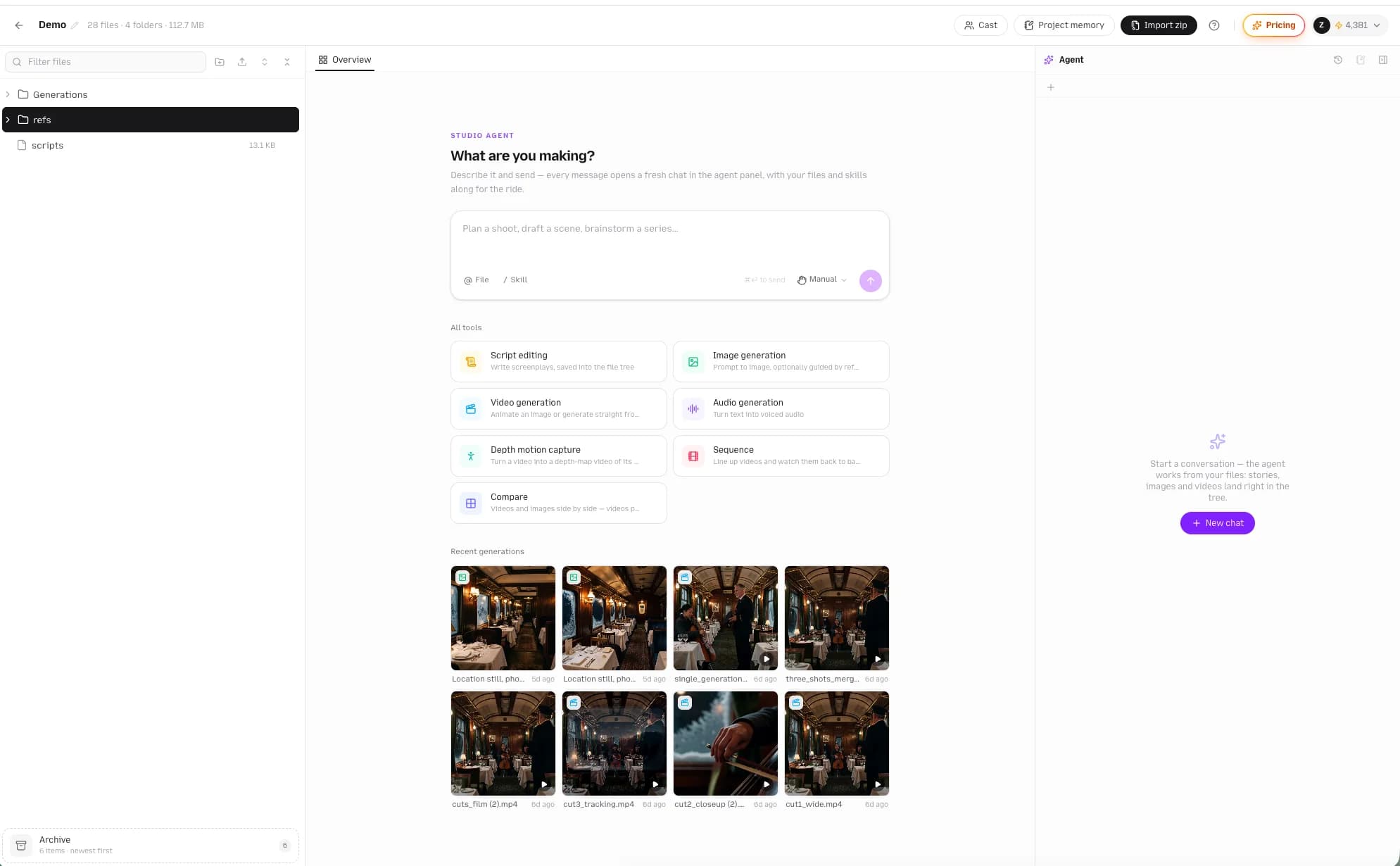
Bring your own script and references. Keep your cast, scenes, images and videos together in one workspace as you build your story.
- Start with your own script and reference images
- Organize your cast and scenes in one project
- Generate and refine scene images and videos
Start in Plot Party Studio.
Your script, ready for the screen
Already have a story? Use Studio to turn the written scenes into a visual project, with your references close at hand.
Bring the material
Add your script and visual references. Tell your AI agent what you want to make and which scene to start with.
Prepare your cast and scenes
Organize character references, locations and scene notes so you can reuse them throughout the project.
Make and refine the visuals
Choose an image or video model for each scene, review the results and iterate in the same workspace.
Ready to make an episodic video? Explore AI microdrama creation
Make your next story in one studio.
Before you start
Can I start with a script I already wrote?
Yes. Bring your script to Studio and work with your AI agent to develop it into scenes, with your visual references alongside your project.
What can I create with this story maker?
Build visual scenes for short stories, AI microdramas and episodic projects using image and video generation tools.
Do I need to switch tools to generate visuals?
Studio brings your AI agent, project files and image and video generation tools together in one workspace.